Case Study

T-Bear Tool & Equipment Rental

An equipment rental business that ran on Facebook messages now takes reservations online, with published rates and agreements signed before pickup.

Equipment Rental · San Antonio & Austin, TX

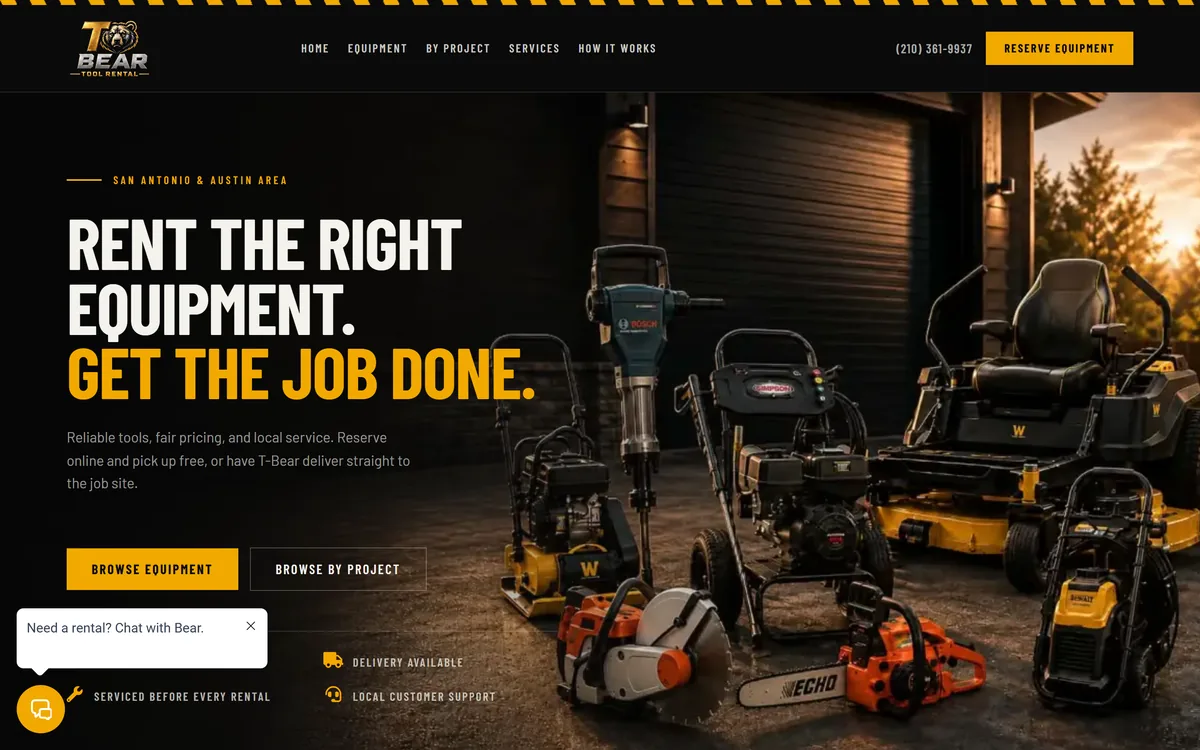
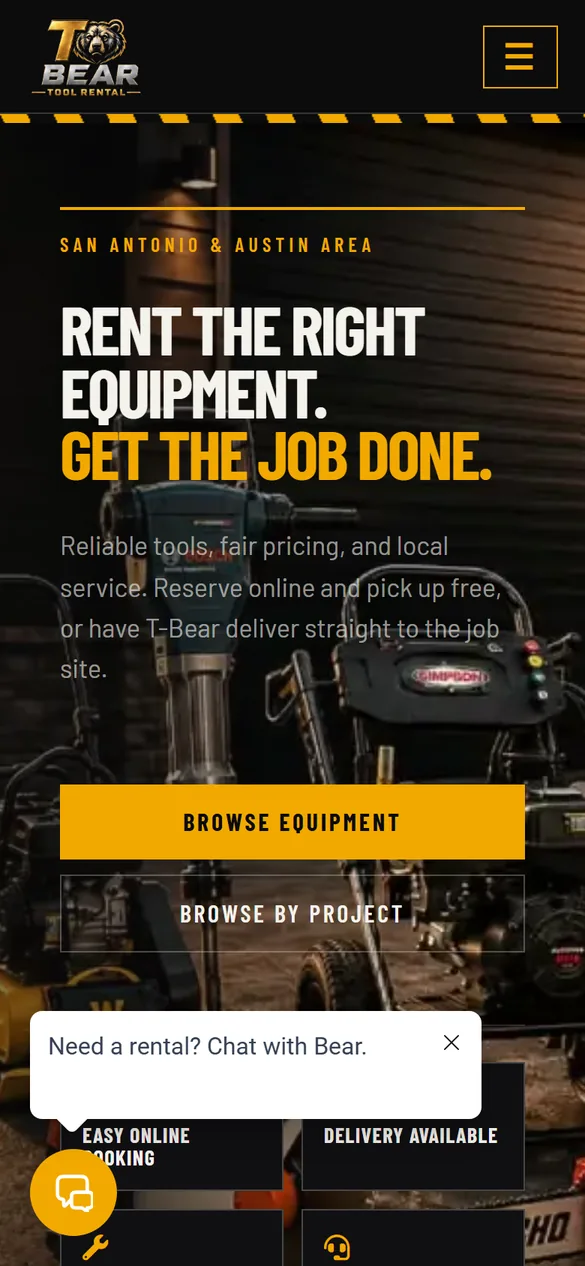
Homepage of T-Bear Tool & Equipment Rental, redesigned by Aspired Websites Homepage of T-Bear Tool & Equipment Rental, redesigned by Aspired Websites, on a phone
Captured from the live site: https://tbearrental.com/
The Build

At a Glance

15

Machines in the online catalog

7

Job-based starting points

5

Reservation stages with automatic updates

The Challenge

Renting tools out of a Facebook inbox works right up until it doesn’t. Every request landed in the same place as everything else, availability lived in the owner’s head, and the paperwork happened on a clipboard at pickup. Spam and robocalls took the rest of the day.

There was no page a customer could land on to see what T-Bear has, what it costs, and how to get it. Every pricing question had to be answered by hand, one message at a time, and a message missed on a job site was a rental lost.

What We Redesigned

The site was rebuilt as a working rental storefront: fifteen machines, each with its own listing, photos, specifications, a published daily rate, and an online reservation request. Customers can browse the fleet, or start from the job they are actually doing, with seven starting points from cleaning a driveway to mowing an overgrown lot, each pointing at the right tool.

Behind the storefront, a reservation moves through confirmation, rental agreement, pickup, return and review, and the updates go out on their own. Agreement links are sent by text and email once dates and price are confirmed, signed online, and tracked on the site as pending or signed.

Two assistants named Bear handle the first layer of contact. Bear the voice receptionist answers the phone, covers the common rental questions, screens the robocalls, and transfers a real customer straight through instead of into a phone tree. Bear the website chat answers questions about equipment, starting rates, pickup versus delivery and hours, and points visitors at the right machine. Chat is kept out of the business text inbox, so a browsing question never buries a live rental.
The Outcome

T-Bear runs on a website now instead of a Facebook inbox. Reservations arrive as structured requests with a machine and dates attached, customers are told where their rental stands without anyone typing it out, agreements are signed before pickup rather than at the tailgate, and the calls that get through are from people who actually want to rent something.

Under the Hood

How It Was Rebuilt

The Storefront

Fifteen machines, each with a page and a price

The fleet is a real catalog rather than a photo gallery. Every machine has its own listing, and the reservation form knows which machine it is for.

  • Fifteen machines listed by make and model, each with the nickname the business actually calls it: Sir Suds the Simpson pressure washer, Brutus the Bosch jackhammer, Rex the Husqvarna concrete saw, Hustler the zero-turn mower.
  • Every listing publishes its daily rate, so nobody has to send a message to find out what something costs.
  • Engine and power specifications sit on the listing, so a customer can confirm a machine will do the job before they request it.
  • Seven filters group the fleet by the kind of work: cleaning, concrete and demo, cutting, demolition, lawn, lawn and landscape, and site prep.
  • The site also carries T-Bear’s own pressure washing and lawn care services, for customers who would rather hire the job out than rent the machine.
Start With The Job

Browsing by the work, not the tool name

Most customers know what they are trying to get done, not which machine does it.

  • Seven job pages act as the front door: clean a driveway, break or remove concrete, install pavers, compact gravel or soil, cut concrete or metal, clear limbs or small trees, and mow an overgrown lot.
  • Each one names the machine for that job and links straight to its reservation, so the path from problem to request is two clicks.
  • Customers who already know what they want can skip it and go straight to the catalog.
  • Reserving online takes no payment. The dates and the price are confirmed first, and the customer pays at pickup or delivery.
Automated Communication

The reservation tells the customer where it stands

The work that used to be a string of Facebook replies is now a sequence the system runs on its own.

  • A reservation moves through confirmation, rental agreement, pickup, return and review, with a message going out at the steps that need one.
  • Agreement links are sent by text and email once the dates and price are confirmed.
  • The team is alerted on the reservation activity that needs a person, so follow-up does not depend on someone remembering to check an inbox.
  • A published messaging terms page covers consent for the text messages, alongside the site’s privacy policy.
Rental Agreements

Signed before the machine leaves

Digital rental agreements are issued through Firma.dev once a reservation is confirmed.

  • The customer signs from their phone instead of on a clipboard at the tailgate.
  • The site tracks every agreement as pending or signed, so the state of each reservation is visible without anyone chasing paperwork.
  • The full terms are published on the site rather than handed over at pickup: who can rent, deposits, payment, fuel and cleaning, damage and loss, late returns, cancellations, delivery, and liability.
  • Requirements are deliberately short and stated up front: a valid photo ID, a card in the renter’s own name, and being 18 or older. No business license, no proof of insurance, no account application.
  • Deposits are a card hold released on return, quoted before the reservation is made, so there is no surprise at the counter.
Reviews

Asking at the moment the job is still fresh

  • The review request is the last stage of the reservation, so it goes out after the machine comes back rather than weeks later.
  • Follow-up runs on its own, so a good rental can become a public review without the owner having to ask in person.
  • Because it is tied to the reservation and not to a manual list, every completed rental gets the same ask.
Bear, On The Phone

An AI receptionist that screens the junk

Bear is T-Bear’s AI voice receptionist, and it answers first so the owner does not have to stop work for every ring.

  • Bear answers the common rental questions and explains how the request process works.
  • Likely spam and robocalls are screened at the first layer instead of ringing through.
  • A caller who genuinely needs the owner is transferred straight to him. There is no phone tree to navigate.
Bear, On The Site

The same assistant, in the corner of the page

  • A chat assistant on every page answers questions about equipment, starting rates, pickup versus delivery, hours, and how renting works.
  • Answers are specific to T-Bear rather than generic, and point visitors toward the right machine or the reservation form.
  • Website chat is kept separate from the business text inbox, so a browsing question never lands in the same queue as a live rental.
The Platform

WordPress, set up to actually take reservations

T-Bear is a WordPress site, not a hand-coded build. What changed is that the rental side is real functionality instead of a contact form next to some photos.

  • The catalog runs on WooCommerce with a rental and booking layer on top, so dates and availability belong to the machine rather than to a message thread.
  • Served over HTTPS with strict transport security, on managed hosting with page caching and a CDN in front of it.
  • Titles, meta descriptions and structured data are managed deliberately rather than left to the theme defaults.
  • The operations layer sits alongside the site and handles the calls, texts, agreements and review follow-up. The website is the storefront; that layer is the back office.

This was a San Antonio project. See more of our San Antonio work.

Want Something Like This?

Every build starts with a conversation about what your business needs the site to do.